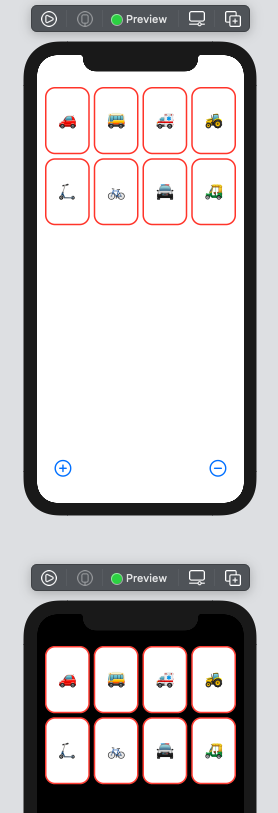
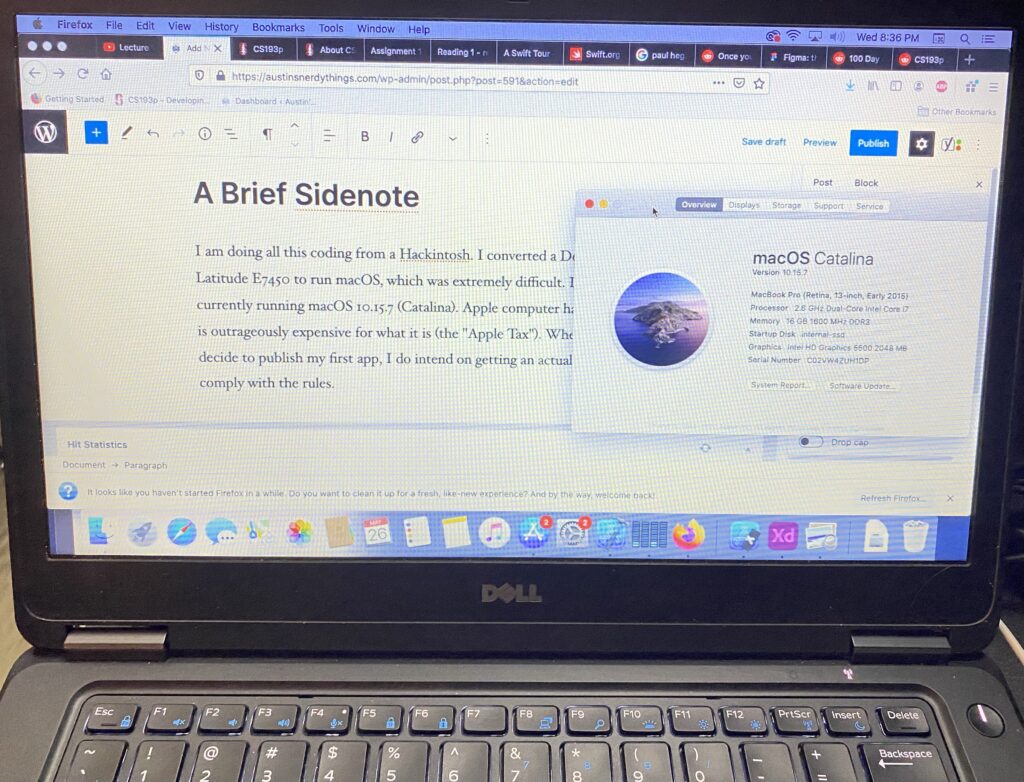
Coming from Learning Swift (the programming language), I have completed Assignment 1 (including extra credit #1, but not #2). Most of the tasks were relatively straight-forward. I did not do any of the reading.
The last post had a fully functional game working as described in lectures 1 & 2. This assignment built from that.
Some brief notes on the required tasks:
- Easy. Done on the last post.
- Also easy.
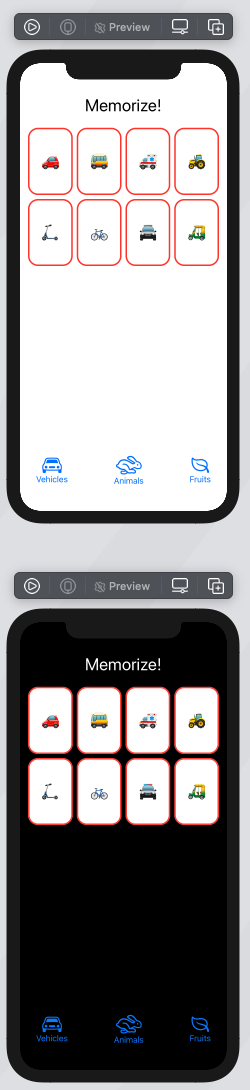
- Not too hard, just added a new struct called TitleView and plopped it before the ScrollView in the VStack
- I tried to figure out a way to have the emojis var populated with the contents of a different emoji list (e.g. vehicleEmojis, as in var emojis = vehicleEmojis), but wasn’t successful. This will probably be covered in lecture 3. I ended up just hardcoding the initial list to be the same values as the vehicleEmoji string array. The buttons themselves were pretty straightforward.
- The hardest part about this was figuring out how to use the emoji browser so I didn’t have to close and re-open it for every new emoji. I did vehicles, animals, and fruit.
- array.shuffled(), easy
- VStack the system images with text
- Okay, I suppose I can do that. I picked the fruit emojis before realizing there weren’t specific fruit symbols. In SF 2, there is a leaf, which is close enough. This seems a bit nit-picky.
- font(.body)
- ok
Extra credit:
- set emojiCount to be a random value from 4 (minimum specified in the task) up to yourEmojiListVar.count. easy. do this after shuffling though
- this seems like a lot of work for something I don’t really need to do yet
Code
//
//  ContentView.swift
//  Memorize - Stanford CS193p, Spring 2021
//  After assignment 1
//
//  Created by Austin from austinsnerdythings.com on 5/27/21.
//

import SwiftUI

struct ContentView: View {
    var vehicleEmojis = ["?","?","?","?","?","?","?","?","?","?","?","?","?","✈️","?","?","?","?","?","?","?","?","?","?"]
    var animalEmojis = ["?","?","?","?","?","?","?","?","?","?","?","?"]
    var fruitEmojis = ["?","?","?","?","?","?","?","?","?","?","?","?"]

    @State var emojis = ["?","?","?","?","?","?","?","?","?","?","?","?","?","✈️","?","?","?","?","?","?","?","?","?","?"]
    @State var emojiCount: Int = 8

    var body: some View {
        VStack {
            TitleView()
            ScrollView {
                LazyVGrid(columns: [GridItem(.adaptive(minimum: 80))]){
                    ForEach(emojis[0..<emojiCount], id: \.self) { emoji in
                        CardView(content: emoji)
                            .aspectRatio(2/3, contentMode: .fit)
                    }
                }
            }
            .foregroundColor(.red)
            Spacer()
            HStack {
                vehicleTheme
                Spacer()
                animalTheme
                Spacer()
                fruitTheme
            }
            .font(.largeTitle)
            .padding(.horizontal)
        }
        .padding()

    }

    var remove: some View {
        Button {
            if emojiCount > 1 {
                emojiCount -= 1
            }
        } label: {
            Image(systemName: "minus.circle")
        }
    }

    var add: some View {
        Button {
            if emojiCount < vehicleEmojis.count {
                emojiCount += 1
            }
        } label: {
            Image(systemName: "plus.circle")
        }
    }

    var vehicleTheme: some View {
        Button(action: {
            emojis = vehicleEmojis.shuffled()
            emojiCount = Int.random(in: 4..<vehicleEmojis.count)
        }, label: {
            VStack{
                Image(systemName: "car").font(.largeTitle)
                Text("Vehicles").font(.body)
            }
        })
    }
    var animalTheme: some View {
        Button(action: {
            emojis = animalEmojis.shuffled()
            emojiCount = Int.random(in: 4..<animalEmojis.count)
        }, label: {
            VStack{
                Image(systemName: "hare").font(.largeTitle)
                Text("Animals").font(.body)
            }
        })
    }
    var fruitTheme: some View {
        Button(action: {
            emojis = fruitEmojis.shuffled()
            emojiCount = Int.random(in: 4..<fruitEmojis.count)
        }, label: {
            VStack{
                Image(systemName: "leaf").font(.largeTitle)
                Text("Fruits").font(.body)
            }
        })
    }
}

struct CardView: View {
    var content: String
    @State var isFaceUp: Bool = true

    var body: some View {
        ZStack {
            let shape = RoundedRectangle(cornerRadius: 20)
            if isFaceUp {
                shape.fill().foregroundColor(.white)
                shape.strokeBorder(lineWidth: 3)
                Text(content).font(.largeTitle)
            } else {
                shape.fill()
            }
        }
        .onTapGesture {
            if isFaceUp == true {
                isFaceUp = false
            } else {
                isFaceUp = true
            }
        }
    }
}

struct TitleView: View {
    var body: some View {
        HStack {
            Spacer()
            Text("Memorize!").font(.largeTitle)
            Spacer()
        }
    }
}

struct ContentView_Previews: PreviewProvider {
    static var previews: some View {
        ContentView()
            .preferredColorScheme(.light)
        ContentView()
            .preferredColorScheme(.dark)
    }
}
Screenshots
Next up – lecture 3
Link to post about lecture 3 here.